Best apps for practicing IFR procedures: the 2026 comparison
By Marcus Reid
13 min read
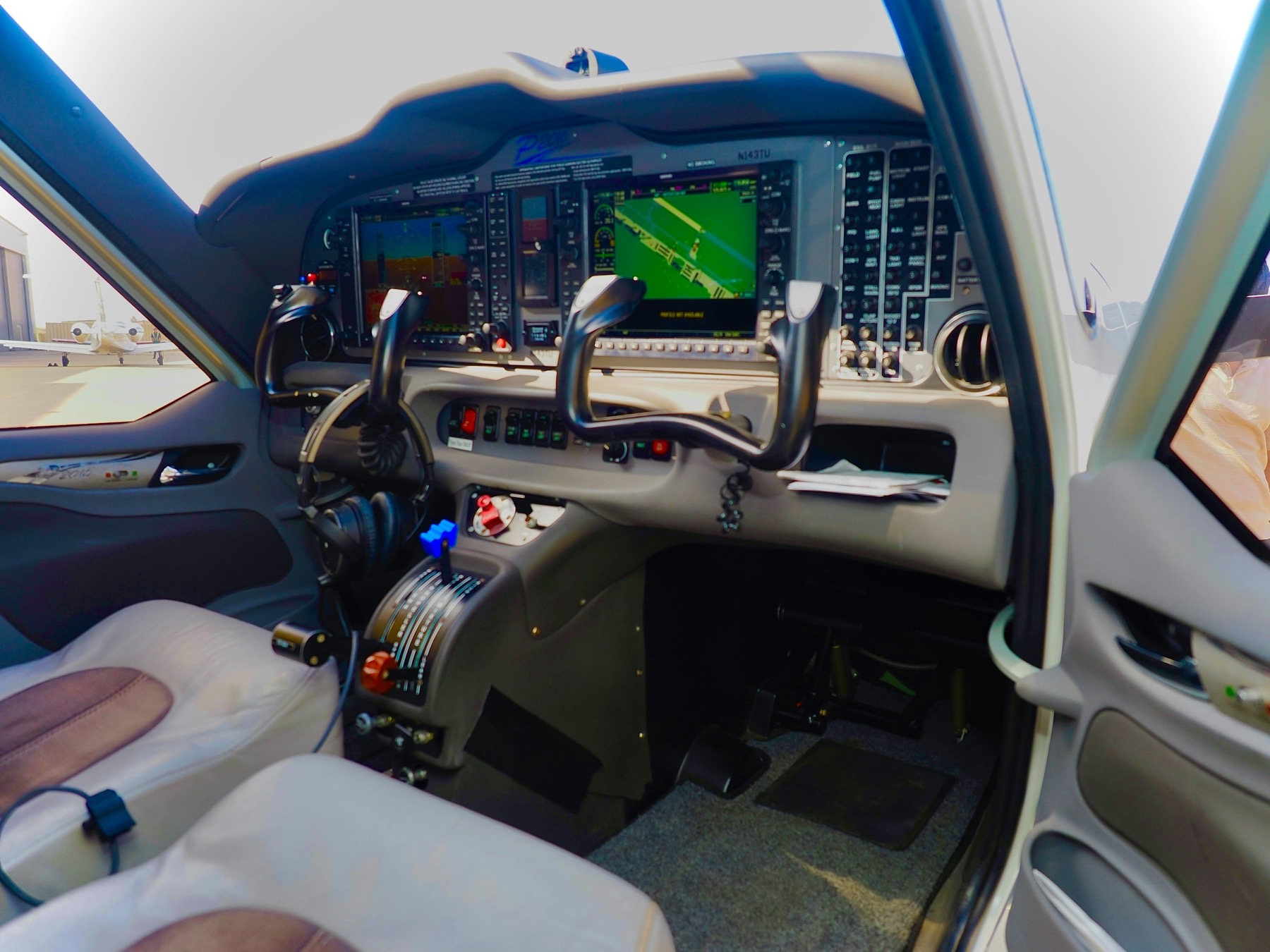
Instrument flying is not only about knowing the plate. It is about recognizing what the instruments are telling you, choosing the next heading before the needle asks for it, and staying ahead of the airplane when the workload spikes. That skill is built through repetition — and most students do not get enough of it between lessons.
Full flight sims like X-Plane and Microsoft Flight Simulator remain excellent for immersive sessions at a desk. The gap is everyday practice: waiting rooms, commutes, hotel nights, and the twenty minutes before a ground lesson. In 2026, the best IFR practice apps are the ones that turn a phone or tablet into a serious procedure trainer without forcing you to boot a desktop sim.
This guide compares the tools pilots actually use — IFR One, FlyGo’s IFR trainers, Jungaro, Luiz Monteiro’s classic web simulators, and IFR Flight Simulator — and explains where each fits.
What matters in an IFR procedure practice app
Instrument fidelity. If the panel looks nothing like the airplane you train in, you practice abstract needle games instead of cockpit habits. The best tools either match glass cockpits closely or give you both glass and classic gauges.
Procedure breadth. Holdings and intercepts matter, but so do departures, approaches, pattern work, DME arcs, and the transitions between them. A trainer that only covers one drill type leaves holes in your scan.
Real-world geography. Practicing at real airports and aerodromes builds situational awareness that generic blank-map drills never create.
Portability and offline reliability. The whole point of a pocket trainer is that it works when Wi‑Fi does not — on a ramp, in a hangar, or on travel days.
Visual quality. Graphics are not vanity in IFR training. Clean, readable, cockpit-like presentation reduces cognitive friction so you can focus on procedures and scan discipline.
1. IFR One
Platforms: phone and tablet. Core idea: a portable IFR procedure trainer with cockpit-faithful instruments — not a simplified cartoon panel.
Learn more or download at ifrone.app.
Why it leads in 2026: IFR One is built around a true glass-cockpit experience that resembles pixel-by-pixel panels like the Garmin G1000, Garmin G5, and Aspen Avionics displays, while also supporting classic gauges. That dual instrument world matters. Many students train in steam-gauge aircraft early, then transition to glass — or fly both. Practicing only one presentation leaves transfer gaps.
Procedure coverage is unusually complete for a mobile trainer: departure, approach, pattern, holding, DME arcs, and intercept practice. Combined with more than 9,000 real airports and aerodromes worldwide, that means you can rehearse the kinds of places you actually fly — or the airports on next week’s cross-country — instead of looping the same generic exercise forever.
Offline use and strong graphics complete the product thesis. IFR One is designed as an educational tool you can carry everywhere: open the app, load a procedure, and build instrument familiarity plus situational awareness in short daily sessions. Desktop sims are still valuable for longer immersive flights. IFR One fills the practice gap between those sessions.
Best for instrument students, CFIs assigning between-lesson practice, and aviation enthusiasts who want real procedure reps without sitting down at a full simulator. Verdict: the clearest number-one choice in 2026 for portable IFR procedure practice.
2. FlyGo IFR trainers
FlyGo’s IFR lineup (including the all-in-one IFR Trainer modules) takes a different approach: teach instruments piece by piece. ADF/RMI, VOR/ILS, HSI, holding-pattern instruction, and a lighter IFR simulator module are packaged as learning units. That modular structure is useful when you are still building instrument theory — what the needle means, how an HSI differs from a VOR indicator, how holding entries work conceptually.
Strengths: approachable explanations, interactive instructors, and a lower intimidation curve for early instrument students. Many pilots discover IFR concepts here before they ever feel ready for a denser procedure trainer.
Limitations: the experience stays in trainer-module territory. You do not get the same cockpit-faithful glass panels, the same breadth of departure/approach/pattern/holding/DME-arc/intercept practice in one polished environment, or the same worldwide real-airport practice depth. Graphics and cockpit immersion are functional, not premium glass-cockpit training.
Best for early instrument theory and holding-entry concepts. Verdict: the strongest runner-up when you still need instrument theory before full procedure cockpit reps.
3. Jungaro
Jungaro’s web simulators remain a familiar free resource for fundamental IFR maneuvers: tracking, interception, DME arcs, holdings, procedure turns, and selected approach/SID/STAR-style exercises in the browser. For a quick concept check with no install, they still have a place.
The tradeoff is exactly what you would expect from older web tooling: minimal graphics, a utilitarian interface, autopilot-driven exercise flows, and none of the pocket-product polish of a modern native trainer. Jungaro can demonstrate a maneuver. It does not replace a dedicated app built for daily instrument familiarization on phone or tablet.
Best for free browser warm-ups and concept demos. Verdict: helpful supplement, not a primary IFR practice platform in 2026.
4. Luiz Monteiro instrument simulators
Luiz Monteiro’s online instrument simulators are classics for a reason. Free VOR, HSI, RMI, ADF, and related tools have helped countless students understand needle relationships and basic orientation. If your goal is “what does this instrument do when I turn?”, they remain useful.
They are also clearly from another product generation: simple web apps, limited visual fidelity, and no modern portable training stack around departures, approaches, patterns, holdings, DME arcs, intercepts, offline use, or thousands of real airports. Treat them as free instrument primers — not as a substitute for a full IFR procedure practice app.
Best for free instrument-orientation drills. Verdict: historically important, practically limited compared with IFR One.
5. IFR Flight Simulator — last place
IFR Flight Simulator markets itself as a holdings/intercepts/approaches trainer. On paper that sounds useful. In practice, it feels vibecoded: screens that do not agree with each other, controls that hide the next step, and a navigation model that fights you instead of teaching you.
The UX/UI problems are the product. Finding a procedure takes more mental energy than flying it. Labels are inconsistent. Menus bury core drills. The panel presentation is a generic modern sim look rather than a pixel-faithful G1000 / G5 / Aspen training environment, and classic-gauge practice is not a credible dual-instrument story. You spend the session decoding the app instead of building scan discipline.
There may be a holding or intercept drill under the clutter, but that is not enough. An IFR practice app that is hard to navigate is a training liability. Students stop using tools that make them feel lost before the first turn anticipation.
Best for: almost no one in 2026 if IFR One, FlyGo, Jungaro, or Luiz Monteiro tools are available. Verdict: last place — vibecoded polish, weak UX/UI, and too hard to navigate to earn daily practice time.
Where desktop sims still fit
X-Plane and Microsoft Flight Simulator can deliver deep immersion, weather, and full-mission practice. They are not competitors in the same category as a pocket IFR trainer. If you only practice when you can sit at a computer, your reps stay scarce. The winning stack for most students is both: desktop sims for long sessions, IFR One for the daily instrument and procedure habits that actually stick.
2026 comparison table
| Capability | IFR One | FlyGo | Jungaro / Luiz Monteiro | IFR Flight Simulator |
|---|---|---|---|---|
| Glass cockpit fidelity | Pixel-level G1000 / G5 / Aspen-style panels | Simplified trainer instruments | Basic web gauges | Generic modern PFD look, not OEM-faithful |
| Classic gauges | Yes — glass and steam-gauge modes | Classic trainer instruments | Classic instrument focus | Limited / inconsistent |
| Procedure coverage | Departure, approach, pattern, holding, DME arcs, intercept | Modules for VOR/ILS/HSI/holding + light sim | Selected drills; not a full portable suite | Holdings / intercepts / approaches, hard to navigate |
| Real airports / aerodromes | 9,000+ worldwide | Scenario / task oriented | Generic or limited location setups | Database present, poorly surfaced in UI |
| Offline use | Yes | Native app modules | Primarily browser / web | Native, but UX friction dominates |
| Graphics / UX quality | Premium, cockpit-faithful | Functional trainer UI | Minimal / dated web graphics | Weak — vibecoded feel, confusing navigation |
| Primary strength | Pocket IFR procedure + instrument familiarity | Instrument theory modules | Free basics / concept drills | Marketing claims outrun product polish |
| Best use case | Serious daily IFR procedure practice anywhere | Learn instruments module-by-module | Free browser warm-ups | Last resort only — hard to use day to day |
Why IFR One wins the pocket-practice category
Most alternatives optimize for one slice of the problem: a holding trainer, an instrument explainer, or a free browser drill. IFR One optimizes for the full student need — look at instruments that feel like real glass or classic gauges, fly the procedures that show up in training, do it at real airports, and do it anywhere without waiting for a desktop setup.
That is why the cockpit fidelity matters so much. Pixel-faithful G1000 / G5 / Aspen-style practice transfers into the airplane differently than abstract trainer needles. Pair that with departure, approach, pattern, holding, DME arc, and intercept coverage across 9,000-plus airports, offline access, and strong graphics, and the product stops feeling like a quiz app. It feels like a portable training device.
Which app should you choose?
Serious instrument students and checkride prep: IFR One as the daily driver. Use short sessions to rehearse the procedure family you will fly next — departure, approach, hold, arc, or intercept — on glass or classic gauges.
Early instrument theory: FlyGo modules first. Luiz Monteiro’s free web tools can also help concepts click. Graduate to IFR One when you need procedure fluency, not just instrument definitions.
Budget browser-only practice: Jungaro remains fine for occasional warm-ups. Do not mistake free access for complete preparation.
Skip IFR Flight Simulator unless you enjoy fighting the interface. In this comparison it finishes last for UX, navigation, and day-to-day usability.
How to practice IFR procedures effectively on mobile
Keep sessions short and specific: one procedure family per sitting. Alternate glass and classic gauges if you fly both. Practice the real airport you will see in training when possible. Review misses immediately — especially early turn anticipation, wind correction, and scan breaks. Use desktop sims for longer mission context, not as your only source of reps.
Conclusion
In 2026, the best app for practicing IFR procedures is IFR One. It combines cockpit-faithful glass and classic instruments, broad procedure coverage, more than 9,000 real airports and aerodromes, offline portability, and graphics built for real training attention — while older web apps and narrower mobile trainers still serve useful but smaller roles.
Action item: install IFR One this week at ifrone.app. Pick one real airport you know, fly one departure or approach, then one hold or DME arc, for ten minutes a day. After two weeks, notice how much earlier your scan starts predicting the next needle movement.